
 admin
admin
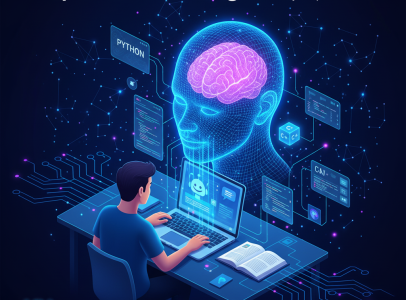
In today's fast-paced digital world, learning programming has become an invaluable skill, opening doors to countless opportunities. But let's be honest, it can often feel like climbing a steep mountain, especially for beginners. The good news? Artificial Intelligence (AI) is here to revolutionize how we learn to code, transforming that challenging ascent into a more guided and engaging journey. This article will explore how leveraging AI for programming learning can accelerate your progress, make complex concepts easier to grasp, and ultimately help you achieve programming mastery faster than ever before.
The AI Revolution in Programming Education
The landscape of programming education is undergoing a significant transformation, largely thanks to advancements in AI. No longer are learners confined to static textbooks or pre-recorded lectures. AI brings a dynamic, interactive, and personalized dimension to the learning process, making it more accessible and effective for everyone, from curious newcomers to seasoned developers looking to pick up a new language or framework.
Personalized Learning Paths with AI
One of the most remarkable benefits of using AI in your programming learning journey is its ability to tailor educational content to your specific needs. Traditional learning often follows a one-size-fits-all approach, which can leave some learners struggling and others bored. AI-powered platforms can analyze your progress, identify your strengths and weaknesses, and then recommend customized learning paths. This means you get more practice on topics you find challenging and can quickly move past concepts you've already mastered, making your learning experience incredibly efficient and targeted.
Instant Feedback and Debugging Assistance
Every programmer, regardless of experience, knows the frustration of debugging. Staring at an error message, trying to pinpoint that elusive bug, can be a major hurdle. AI tools are game-changers here. They can provide instant feedback on your code, suggesting improvements, identifying errors, and even explaining why a particular error occurred. This immediate guidance helps you understand mistakes in real-time, reinforcing correct practices and preventing the development of bad habits. Imagine having a patient mentor available 24/7 to help you debug your code!
For example, if you're struggling with a Python error, you could paste your code and the error message into an AI assistant and ask:
# My Python code
def calculate_average(numbers):
    total = 0
    for num in numbers:
        total += num
    return total / len(numbers)

data = [10, 20, 30, 'fourty']
avg = calculate_average(data)
print(avg)

# Error message:
# TypeError: unsupported operand type(s) for +=: 'int' and 'str'
An AI might explain: "The error 'TypeError: unsupported operand type(s) for +=: 'int' and 'str'' occurs because you're trying to add a string ('fourty') to an integer (total). The `calculate_average` function expects all elements in the `numbers` list to be numerical. You need to ensure all elements in your `data` list are numbers."
Code Generation and Autocompletion
AI-powered code generation tools like GitHub Copilot or Tabnine or anything can dramatically speed up the coding process and serve as excellent learning aids. These tools can suggest entire lines or blocks of code based on your comments or the context of your existing code. While it's crucial not to rely on them blindly, they can show you idiomatic ways to solve problems, introduce you to library functions you might not know, and help you grasp syntax faster. For a beginner, seeing how a task can be accomplished with clean, functional code is invaluable for understanding best practices.
Consider this example where you want to create a simple HTML structure. If you start typing in an IDE with an AI assistant:
<!DOCTYPE html>
<html lang="en">
<head>
    <meta charset="UTF-8">
    <meta name="viewport" content="width=device-width, initial-scale=1.0">
    <title>My Awesome Page</title>
</head>
<body>
    <!-- create a div for main content -->
An AI might suggest:
    <div id="main-content">
        <h1>Welcome to my page!</h1>
        <p>This is where the magic happens.</p>
    </div>
This not only saves typing but also offers a glimpse into common HTML structures.
Explaining Complex Concepts and Documentation
Programming often involves understanding abstract concepts, intricate algorithms, or dense documentation. AI can break down these complex topics into simpler, more digestible explanations. You can ask an AI to explain recursion, object-oriented programming, or the purpose of a specific function in a library. It can provide analogies, examples, and even simplify technical jargon, making learning more intuitive. This ability to clarify is a huge boon for learners struggling with theoretical foundations.
Interactive Tutors and Chatbots
Beyond simple explanations, some AI tools act as interactive tutors. They can engage in dialogue, answer your questions, propose challenges, and guide you through problem-solving steps. These AI chatbots simulate a one-on-one tutoring experience, offering immediate support and clarification whenever you hit a roadblock. This form of AI-powered coaching provides a supportive environment for effective programming learning.
Popular AI Tools for Programmers and Learners
The market is rapidly expanding with AI tools designed to assist in coding and learning. Here are a few notable examples:
- GitHub Copilot: An AI pair programmer that provides autocompletion and code generation suggestions as you type.
- ChatGPT/Gemini: Large language models that can explain concepts, generate code snippets, debug errors, and answer general programming questions.
- Tabnine: Another AI code completion tool that learns from your code patterns to provide highly relevant suggestions.
- Replit AI: Integrated AI within the Replit IDE that helps with code generation, debugging, and explanations.
- AI-powered Learning Platforms: Many online coding courses and platforms are now integrating AI features for personalized paths, immediate feedback, and interactive exercises.
Practical Tips for Leveraging AI in Your Learning Journey
To truly harness the power of AI for effective programming learning, here are some practical tips:
- Start with the Fundamentals: Don't let AI become a crutch. Understand core programming concepts (variables, loops, functions, data structures) yourself first. AI excels at assisting, not replacing, foundational knowledge.
- Use AI to Understand Error Messages: When your code throws an error, copy the error message and your relevant code into an AI. Ask it to explain what went wrong and suggest fixes. This is a fantastic way to learn debugging.
- Ask AI to Explain Complex Code Snippets: Encounter a piece of code you don't understand? Paste it into an AI and ask for a line-by-line explanation or a simpler analogy.
- Experiment with AI-Generated Code, Then Analyze It: If AI generates code for you, don't just copy-paste. Read it, understand why it works, and try to modify it. Treat it as a starting point for learning.
- Refactor with AI: Ask AI to improve your code. For instance, "Can you refactor this Python function to be more efficient?" or "Make this JavaScript code more readable." This exposes you to better coding practices.
- Practice Problem-Solving Alongside AI: Use AI to brainstorm solutions to coding challenges, but always attempt to solve them yourself first. Then, compare your solution with AI's and learn from the differences.
- Learn New Languages/Frameworks: When jumping into a new technology, AI can quickly provide syntax examples, common patterns, and setup instructions, accelerating your initial learning curve.
Common Challenges and How to Overcome Them
While AI offers incredible advantages for programming learning, it's not without its potential pitfalls. Being aware of these challenges and knowing how to navigate them is key to maximizing your learning experience.
Over-reliance and Lack of Fundamental Understanding
Challenge: The biggest danger is becoming overly reliant on AI to write code or solve problems without truly understanding the underlying principles. This can hinder your ability to think critically and independently debug when AI isn't available or provides incorrect output.
Overcome: Always question and verify AI-generated code. Use it as a learning tool, not a shortcut. After getting a solution, try to re-write it yourself or explain it out loud. Focus on understanding "why" the code works, not just "how" to make it work.
Generating Incorrect or Suboptimal Code
Challenge: AI models, while powerful, are not infallible. They can sometimes generate code that is buggy, inefficient, insecure, or simply doesn't meet your exact requirements. This is especially true for complex or niche problems.
Overcome: Treat AI suggestions as drafts. Always test, review, and validate any code generated by AI. Develop your critical eye for code quality and efficiency. Combine AI's speed with your human judgment and expertise.
Ethical Considerations and Plagiarism
Challenge: Copying AI-generated code directly, especially for academic assignments or commercial projects, can raise ethical concerns around originality and plagiarism. Also, AI models are trained on vast datasets, and sometimes their output might inadvertently mimic existing code, raising copyright questions.
Overcome: Always strive for originality in your learning. Use AI as an inspiration or a tool to learn concepts, but write your own code. For projects, ensure you understand and adapt AI suggestions rather than simply copying them. Attribute sources where necessary, even if it's an AI model that helped you understand something.
Maintaining Critical Thinking Skills
Challenge: Constant access to immediate answers can diminish your problem-solving muscle. If you always ask AI for solutions, you might miss out on developing the resilience and analytical skills that come from struggling with a problem and eventually overcoming it yourself.
Overcome: Use AI to augment, not replace, your critical thinking. Attempt problems independently first. If you get stuck, use AI for a hint, not the full answer. Engage in deliberate practice where you push your boundaries and only turn to AI when truly necessary for guidance.
The Future of AI in Programming Education
The integration of AI into programming learning is still in its early stages, but the potential is immense. We can expect even more sophisticated AI tutors, personalized curriculum generation, advanced debugging systems, and tools that can even adapt to your emotional state or learning preferences. The goal is not to replace human instructors but to create a highly effective, scalable, and personalized learning experience that was once unimaginable. As AI continues to evolve, so too will our methods of acquiring and mastering programming skills, making development more accessible and enjoyable for everyone.
Learning to code with the help of AI is no longer a futuristic concept; it's a powerful reality available today. By thoughtfully integrating AI tools into your study routine, you can gain a significant edge, understand complex topics more easily, and accelerate your journey to becoming a proficient programmer. Remember, AI is a powerful assistant, but your curiosity, perseverance, and critical thinking remain your most valuable assets. Embrace AI, but never stop learning to think like a developer yourself!
Start your journey today by trying one of these tips. Share your own tips and experiences with AI in programming learning in the comments section below!
Popular Posts




Categories
Tags

Comments